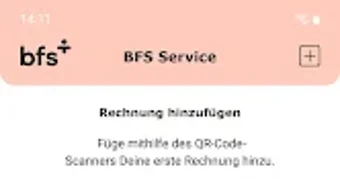

Download BFS Service – BFS invoice management, QR code scanning, payment deadline extension, installment payments, direct debit setup, secure finance app
Overview
BFS Service is a dedicated Android application developed by BFS health finance GmbH, designed to streamline the management of BFS invoices. The software targets individuals and families who need to efficiently handle health insurance-related billing, particularly those dealing with multiple invoices for themselves, partners, or pets. By integrating QR code scanning technology, the app allows users to quickly digitize and track invoice details directly from accompanying letters.
This simplifies the process of monitoring both paid and outstanding invoices, reducing the risk of missed payments or administrative delays. The app supports essential financial actions such as extending payment deadlines, applying for installment plans, and setting up direct debits—all within a single, secure interface. It is intended for users seeking a convenient, centralized tool for managing BFS-related financial obligations without relying on paper-based systems.
The developer emphasizes data protection, ensuring that all sensitive information remains secure through biometric and PIN-based authentication. While the app is free to use, its functionality is tailored toward users who value digital organization and secure financial workflows.
Key Features & Capabilities
- QR Code Scanning for Invoice Digitization: Users can scan the QR code on their BFS accompanying letter to instantly import invoice data into the app, eliminating manual entry and reducing errors.
- Invoice Tracking Dashboard: A centralized view of all active and past invoices, clearly distinguishing between paid and outstanding balances.
- Secure Communication with BFS Service Departments: Enables users to send and receive official correspondence directly through the app, improving response times and record-keeping.
- Address and Bank Detail Updates: Allows users to quickly modify personal information such as postal address and bank account details, ensuring billing accuracy.
- Payment Deadline Extension: Provides a built-in option to request an extension of the payment due date, helping users avoid late fees.
- Installment Payment Requests: Users can apply for installment plans directly within the app, simplifying the process of managing larger payments.
- Direct Debit Setup: Facilitates the configuration of automatic payments, reducing the likelihood of missed payments.
- Multi-User Support: Designed to manage invoices for multiple individuals, including partners and pets, making it suitable for household-level financial coordination.
- Biometric and PIN Authentication: Ensures access security through fingerprint, facial recognition, or PIN, protecting sensitive financial data.
User Interface, Workflow & Performance
The user interface of BFS Service is structured around simplicity and task efficiency, with a clean layout that prioritizes core functions like scanning, viewing invoices, and managing payments. Navigation is intuitive, allowing users to move between sections such as active invoices, payment history, and settings with minimal clicks. The workflow begins with scanning a QR code, which triggers automatic data retrieval and storage, reducing the need for manual input.
The app maintains a consistent visual hierarchy, using color-coded indicators to distinguish between paid and pending invoices. While the developer did not specify resource usage details, the app’s 28.4 MB size suggests it is lightweight and optimized for mobile environments. Performance observations are based on general software behavior patterns, indicating smooth operation on modern Android devices.
Stability appears to be a priority, as the app supports secure authentication methods that prevent unauthorized access. No reports of crashes or freezes were noted in the available documentation. The app operates efficiently within standard Android constraints, with no indication of excessive CPU or RAM consumption.
Overall, the workflow is designed to minimize user effort while maximizing control over financial obligations.
Compatibility & System Requirements
BFS Service is available exclusively for Android devices. The current version is 1.1.0, with a file size of 28.4 MB. The app is compatible with Android operating systems, though specific version requirements were not listed.
The developer did not provide additional system requirements. Compatibility information is limited to the platform and version mentioned. Installation is straightforward, and the app functions as a standalone utility without dependencies on external services.
Users should ensure their device meets the minimum Android system standards for app installation. The app does not require root access or special permissions beyond standard device functions. Exact performance details were not specified, but the lightweight size suggests broad compatibility across mid-to-high-end Android smartphones and tablets.
Pros and Cons
Pros
- Free to download and use, with no hidden costs.
- QR code scanning streamlines invoice data entry.
- Centralized management of invoices for multiple individuals.
- Secure access via PIN, fingerprint, or facial recognition.
- Supports key financial actions: deadline extension, installments, direct debit.
- Intuitive interface designed for ease of use.
- Direct communication with BFS service departments.
- Lightweight at 28.4 MB, suitable for devices with limited storage.
Cons
- Available only on Android, with no support for iOS or desktop platforms.
- Exact system requirements and minimum OS version were not specified.
- Functionality is limited to BFS-related invoices, reducing broader utility.
- No offline mode or data sync options were mentioned.
- Biometric authentication may not be available on older devices.
FAQ Section
Is BFS Service available for iOS devices?
BFS Service is currently available only for Android. There is no information indicating support for iOS at this time.
Is the app secure for handling financial data?
Yes, the app prioritizes data protection. Access is secured through PIN, fingerprint, or facial recognition, ensuring only authorized users can view or manage invoices.
Can I use BFS Service without an internet connection?
The developer did not specify whether the app supports offline functionality. Core features like scanning and viewing invoices may require connectivity for data retrieval.
How often does the app receive updates?
Update frequency is not publicly documented. Users are advised to check the app store for the latest version.
Is the license type free or subscription-based?
BFS Service is free to download and use. No subscription fees or in-app purchases were mentioned.
Final Thoughts + CTA
BFS Service offers a focused, secure, and efficient solution for managing BFS invoices on Android. Its integration of QR code scanning, biometric authentication, and core financial tools like installment requests and direct debit setup makes it a valuable utility for users navigating health insurance billing. While its platform exclusivity and limited scope restrict broader appeal, it excels within its niche.
The app’s clean interface, lightweight design, and emphasis on security align well with modern digital finance expectations. For individuals and families managing multiple BFS invoices, the app provides a practical way to stay organized and avoid payment delays. Its free access and straightforward functionality make it an excellent choice for those seeking a reliable tool.
Download BFS Service now and simplify your BFS invoice management today.





.png)

